Text Remover
Browse or Drag & Drop Image or Ctrl+V / Cmd+V to paste
or try examples:
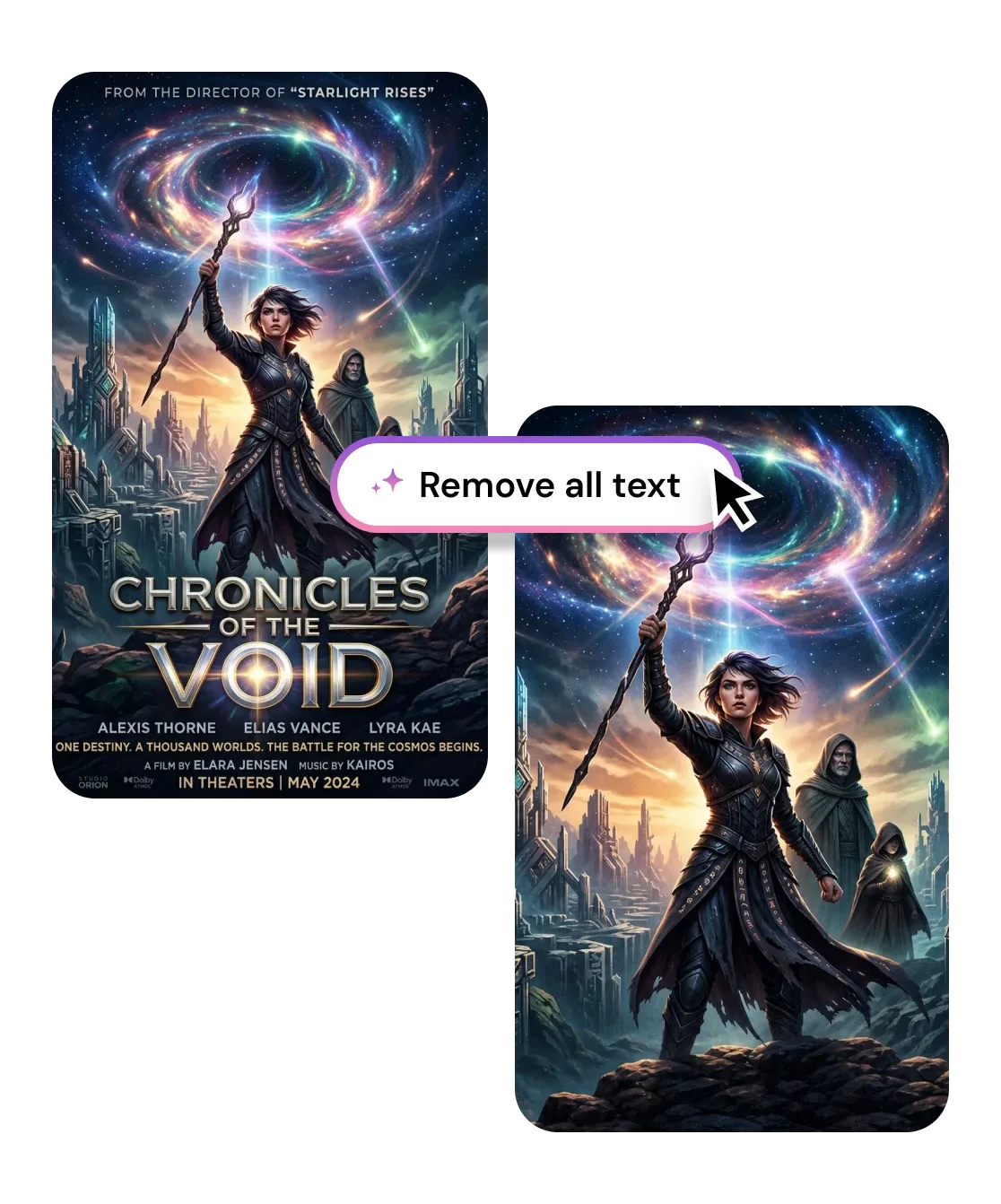
This tool will automatically remove all text, captions, subtitles, and overlaid labels from images.

Remove Text from Images

Erase captions, subtitles, date stamps, and any overlaid text from photos in seconds with precision AI inpainting. Free, works in browser, no signup required.

Text Remover
Browse or Drag & Drop Image or Ctrl+V / Cmd+V to paste
or try examples:

How to Remove Text from Images with AI

Three steps, entirely in your browser. No app to install and no account required.

Upload

1

Drop your image - JPG, PNG, HEIC, or WEBP up to 15MB. Screenshots, memes, product shots, and scans all work.

Upload

Remove text

2

Mark the caption, subtitle, or overlay you want gone and AI erases the text, then rebuilds the background behind it.

Remove text

Download

3

Save the clean image or keep editing it with other tools.

Download

What You Can Erase with the Text Remover

From meme captions and burned-in subtitles to date stamps, signatures, and overlaid labels, one text remover lifts the text and rebuilds the pixels underneath.

Remove captions and subtitles from screenshots

Memes, video stills, and screenshots usually carry burned-in captions or hardcoded subtitles you cannot toggle off. The AI detects the text region, erases it, and inpaints the area behind it so the reused image looks like the words were never there - no blurred bar, no black box.

Remove captions and subtitles from screenshots

Erase overlaid text and labels from product photos

Sale tags, price stickers, promotional headlines, and stray watermark text clutter product images and stop them from being reused. Erase the text from the picture and the AI rebuilds the surface texture underneath, leaving a clean shot ready for your store or listing.

Erase overlaid text and labels from product photos

Clear date stamps and signatures from photos

Old cameras burn an orange date stamp into the corner and scanned prints often carry a signature or handwritten note. The text remover targets just that mark, recovers the detail behind it, and preserves the surrounding tone so the photo reads as original.

Clear date stamps and signatures from photos

Erases any text overlay

Removes captions, subtitles, date stamps, and signatures while rebuilding the background behind them.

Clean inpaint, no smudge

AI fills the cleared area to match surrounding texture and color, so no blur or smear is left behind.

Works on busy scenes

Lifts text off photos, gradients, and patterned backgrounds, not just flat or solid-color areas.

Any image source

Memes, screenshots, product shots, and scanned documents all work in one text remover online.

Privacy first

Privacy first

Uploads deleted within 1 hour. Never used for training. Never sold.

Free to use

Free to use

Free to try with credits. More credits and powerful models on PRO.

I needed to remove the text from a meme template so I could drop in my own caption. Two seconds and the original words were gone with zero smudge. Reposted it the same minute.

Maya T.
Social media manager

Our supplier photos came covered in promo text and price stickers. This erased the text from every picture cleanly so I could relist them. Saved me hours in Photoshop.

Daniel R.
Online store owner

Burned-in subtitles on my screenshots used to ruin them. Now I just remove the text and the frame looks untouched. Even works over busy backgrounds.

Priya S.
Content creator

Frequently Asked Questions

01
How does the text remover work?
02
Is the text remover free?
03
What image formats are supported?
04
How long does it take to remove text from an image?
05
Can I remove text from images on my phone?
06
Can I use the results commercially?