AI Cleanup
Browse or Drag & Drop Image or Ctrl+V / Cmd+V to paste
or try examples:
0/500

AI Photo Cleanup - Just Describe It

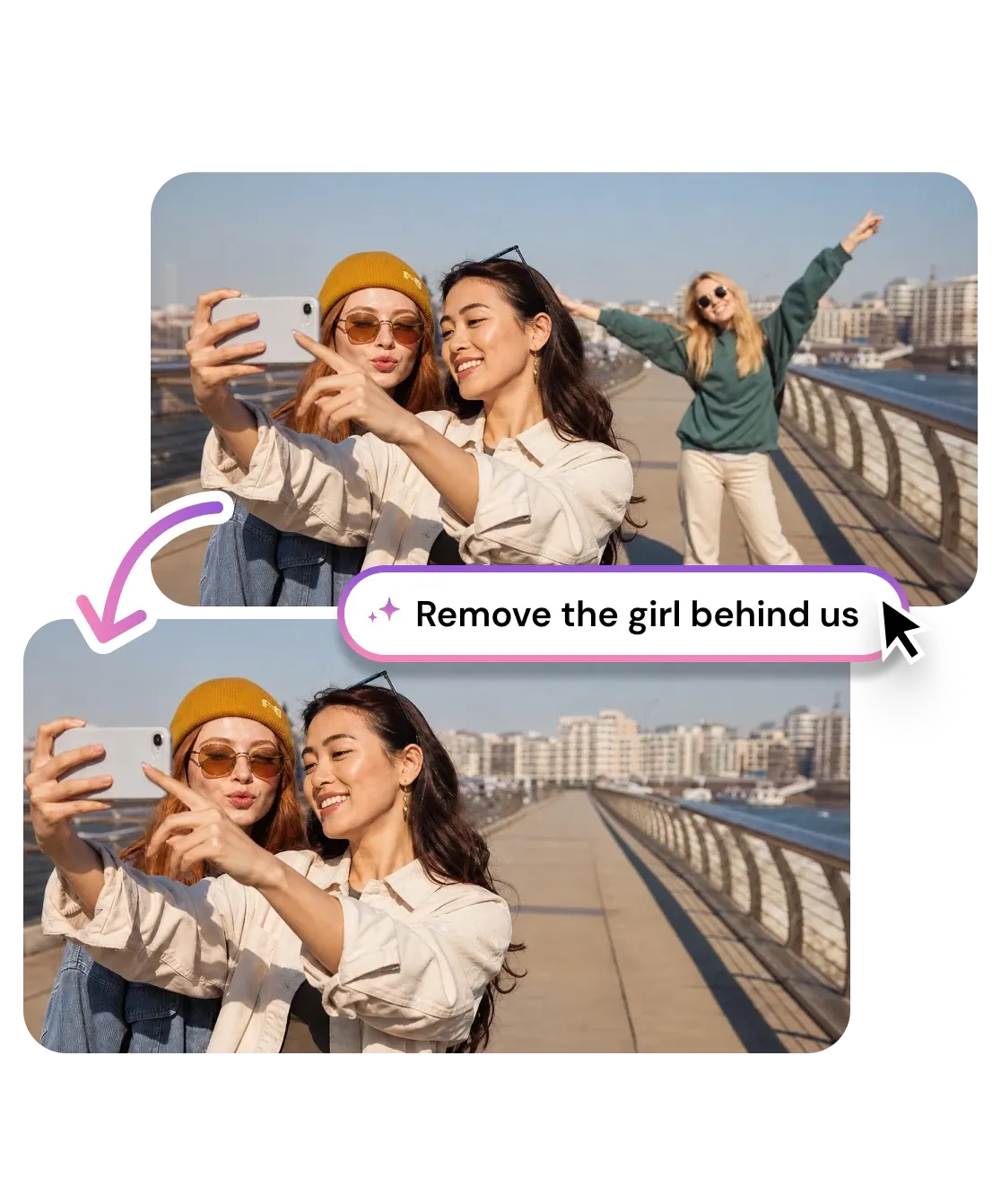
Type what you want gone and context-aware AI finds it and cleans it up, no brush or masking. Remove photobombers, clutter, power lines, and distractions from any photo.

AI Cleanup
Browse or Drag & Drop Image or Ctrl+V / Cmd+V to paste
or try examples:

How to Clean Up a Photo with Words

Three steps, all in your browser. No brush and no masking. Type what to remove and the AI does the rest.

Upload

1

Drop your photo. JPG, PNG, HEIC, or WEBP up to 15MB.

Upload

Describe

2

Type what you want removed in plain words. The AI reads the scene and finds the element you named.

Describe

Download

3

Save the clean photo, or describe the next thing to remove.

Download

What You Can Clean Up

From a stranger in the background to power lines, clutter, and reflections, describe what is ruining the shot and AI clears it while keeping the rest of the photo untouched.

Declutter real estate photos

One prompt does the magic: type "clean up the room" and the AI strips the whole space of clutter, stray furniture, cables, and countertop mess in a single pass, so the listing reads larger and move-in ready. Want to keep something? Get specific, like "remove only the laundry basket".

Declutter real estate photos

Type what you want gone

Instead of tracing an outline by hand, write it in plain words. "Remove the tourist on the left" or "erase the trash can by the fence" is all it takes. The AI reads your sentence, locates that element in the scene, and cleans it out while leaving everything else untouched.

Type what you want gone

Context-aware fill, not pixel smearing

Brush erasers copy nearby pixels and might leave a smudge. This model reads the whole scene, the lighting, perspective, and texture behind the object, then uses generative inpainting to rebuild what should be there so the patch reads as part of the original photo.

Context-aware fill, not pixel smearing

Clear distractions a brush would miss

Power lines, reflections, glare, and an object's own shadow are tedious to paint around by hand. Describe the distraction and the AI clears the whole thing, shadow included. Work through a busy shot one description at a time until only your subject is left.

Clear distractions a brush would miss

No brush, no masking

Removal runs on text alone. No clone stamp, no layer masks, no careful selections like Photoshop needs.

Context-aware AI

Reads the full scene first, so it knows which object you mean and how to rebuild what sat behind it.

Names beat selections

Tell it the spot, color, or size. "The red sign on the right" locks onto the exact element you mean.

Clears shadows too

Describe a person or object and the AI clears its shadow and reflection, not just the item itself.

Privacy first

Privacy first

Uploads deleted within 1 hour. Never used for training. Never sold.

Free to use

Free to use

Free to try with credits. More credits and powerful models on PRO.

I typed "remove the stranger behind us" and it knew exactly who I meant. No brush, no fuss. My anniversary photo is finally frame-worthy.

Lena H.
Lisbon, Portugal

Real estate listings have power lines and bins in every shot. I describe them and they are gone before I open Lightroom. Cleanup is my first pass now.

Marcus D.
Real estate photographer

I tried painting masks on another site and gave up. Here I just write what I want gone and it works. Cleared a whole crowd off my street photo.

Priya N.
@priyashoots

Frequently Asked Questions

01
How does AI Photo Cleanup work?
02
Is AI Photo Cleanup free?
03
What image formats are supported?
04
How long does it take to clean up a photo?
05
Can I use AI Photo Cleanup on my phone?
06
How do I write a good removal prompt?
07
How is Cleanup different from Magic Eraser?
08
Can I use the cleaned images commercially?