Background Blur
Browse or Drag & Drop Image or Ctrl+V / Cmd+V to paste
or try examples:
Blur
14
Blur style
Focus shape
Removes the background and blurs it in real time. Around 12-20px matches iPhone Portrait Mode.

Blur Background in Photos with AI

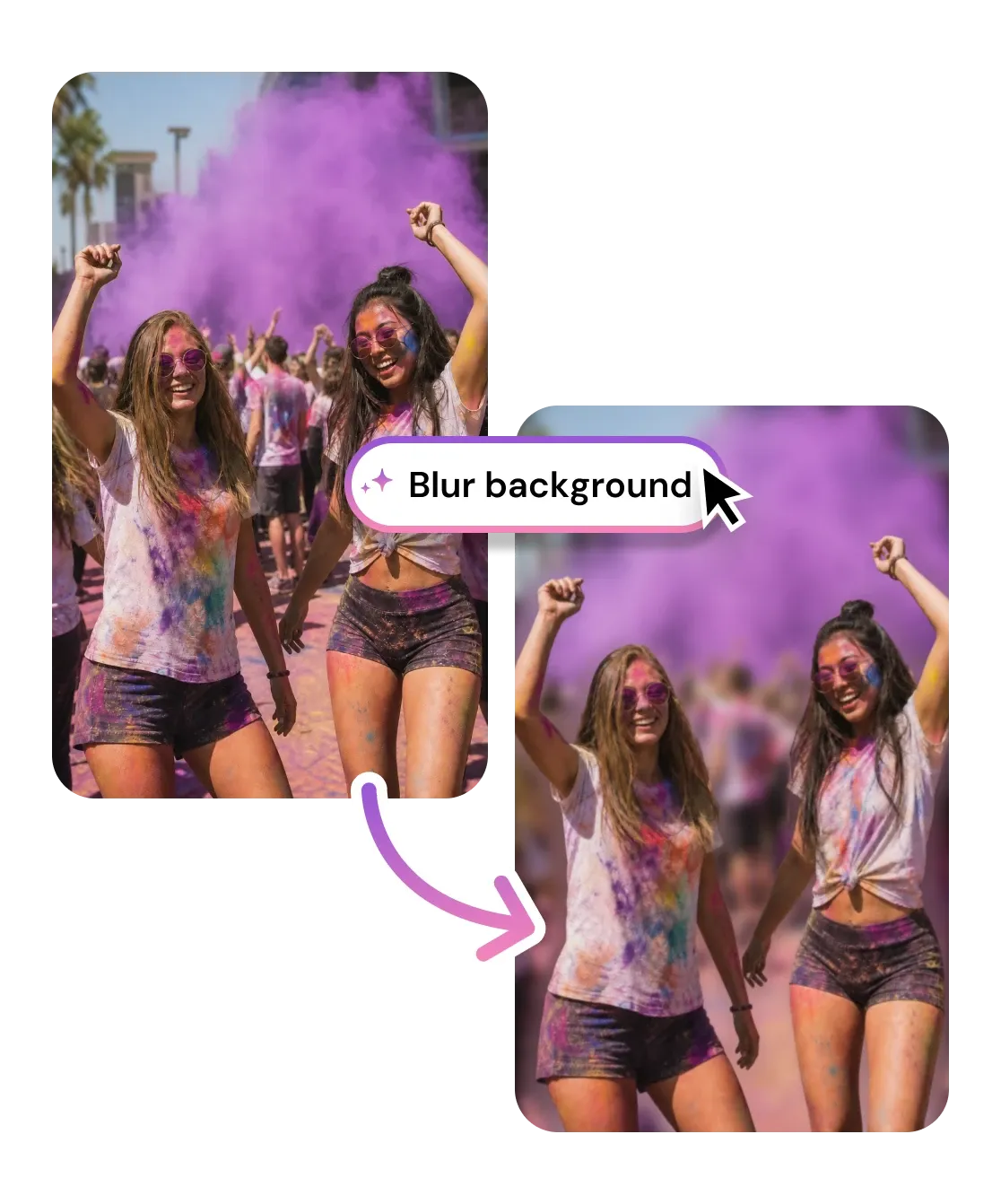
Blur the background of any photo while keeping your subject tack sharp. AI recreates the shallow depth-of-field bokeh of a DSLR or iPhone Portrait Mode, with a live blur slider. Free, no signup, right in your browser.

Background Blur
Browse or Drag & Drop Image or Ctrl+V / Cmd+V to paste
or try examples:

How to Blur a Photo Background

Three steps, entirely in your browser. No app to install and no account required.

Upload

1

Drop your photo - JPG, PNG, HEIC, or WEBP up to 15MB. Portraits, product shots, and pet photos all work best when the subject stands clear of the background.

Upload

Blur background

2

AI detects your subject and separates it from the scene. Drag the blur slider and watch the background soften in real time while the subject stays sharp.

Blur background

Download

3

Save the finished photo with its blurred background, or keep editing it with other tools.

Download

What You Can Do with Background Blur

AI separates your subject from the scene, then softens everything behind it into a smooth depth-of-field blur. From portraits and headshots to product and pet photos, the subject stays sharp while distractions melt away.

Get the iPhone Portrait Mode look on any photo

AI subject detection separates the person, pet, or product from the scene, then applies a smooth Gaussian blur to the background only. A blur intensity around 12 to 20 pixels mimics the shallow depth of field of a phone Portrait Mode shot - dial it higher for a dreamier, more editorial feel.

Get the iPhone Portrait Mode look on any photo

Make products pop with a clean depth-of-field background

A busy shelf or messy desk behind a product pulls the eye away from what you are selling. Blurring the background into soft bokeh keeps your item in crisp focus and gives marketplace and e-commerce listings a studio-grade, professional finish without a DSLR.

Make products pop with a clean depth-of-field background

Keep hair and edges sharp, not haloed

The giveaway of a bad blur is a hard halo around the subject. AI segmentation traces fine details like hair strands and product edges, so the transition between your sharp subject and the out-of-focus background reads as natural camera bokeh rather than a cut-out pasted on a blur.

Keep hair and edges sharp, not haloed

Live blur slider

Drag to set blur intensity from subtle to heavy and preview depth of field in real time - no reprocessing.

Portrait Mode bokeh

Recreates the shallow depth of field and creamy bokeh of a DSLR or iPhone Portrait Mode on any photo.

Auto subject detection

AI segmentation separates subject from background and traces hair and edges - no manual masking.

Subject stays sharp

Blur is applied to background pixels only, so your subject keeps its original detail and resolution.

Privacy first

Privacy first

Uploads deleted within 1 hour. Never used for training. Never sold.

Free to use

Free to use

Free to try with credits. More credits and powerful models on PRO.

Being able to drag the blur slider and see it update live is the part I love. I can stop right at the natural Portrait Mode level instead of overdoing it. My dog photos look incredible now.

Megan T.
@megan.and.scout

I shoot my candles on a cluttered kitchen counter. I blur the background and suddenly every listing looks like a real product photo with that soft depth-of-field look. My Etsy shop finally looks pro.

Priya N.
Etsy seller

Needed a LinkedIn headshot but only had a selfie against my office wall. Blurred the background into a soft bokeh and it instantly read like a Portrait Mode shot from a real camera.

Daniel F.
Account manager

Frequently Asked Questions

01
How does the AI background blur work?
02
Is the background blur tool free?
03
What image formats are supported?
04
How long does it take to blur a background?
05
Can I blur a photo background on my phone?
06
Can I control how strong the blur is?
07
Will my subject stay sharp when I blur the background?
08
Can I use the blurred image commercially?